Import your FBX, OBJ, USDZ, GLTF 3d model to Cinema 4D
Materials will be converted automatically to Redshift.
Turn your objects (if there are multiple objects) into a single object by putting them under the Connect object. (Weld should be disabled)
Click Redshift – Tools – Texture Baking – Create Bakeset from Selection
Put width and height values. (2048×2048)
Make sure you drag and drop the UV source.
Change tiling mode to UDIM(Mari)
Make sure you see your object under the Objects list.
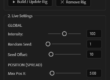
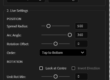
Add RS Dome Light
You can increase Intensity to 3-4.
Go back to RS Bakeset settings and click on Bake. (Set file destination, etc.)
Now duplicate your object.
Delete all materials on it. (Do not delete UV tag)
Create a new document.
Change Renderer to Standard.
Drag and drop your baked texture into the material tab. (It will automatically create a standard material)
Bring your object with its UV and apply the material on it.
Export it as FBX.
Import it as a Scene in Vizrt.
Go to Camera Settings and Reset PSR.
Make Z Position approx. -2000.
Apply your object Metal Reflection Shader.
You can drag and drop HDRs to the Environment Map input, but HDRs should be 3×4 Cross.