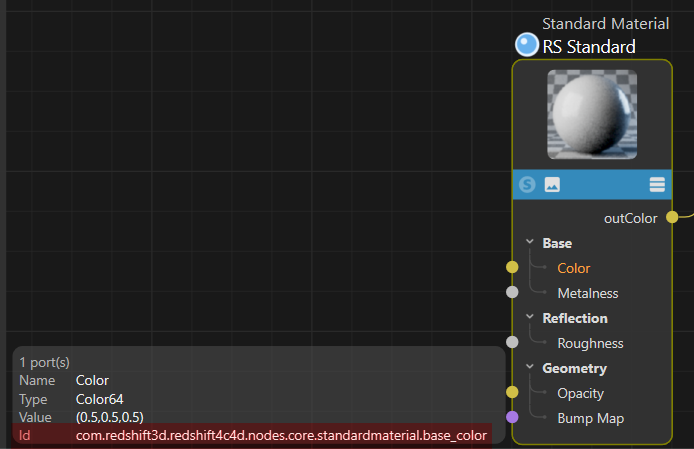
If you need to find the specific ID for an input/output port on those nodes (for example, finding out that the Base Color port on a Standard Material is com.redshift3d.redshift4c4d.nodes.core.standardmaterial.base_color),
Maxon has a built-in developer feature for this:
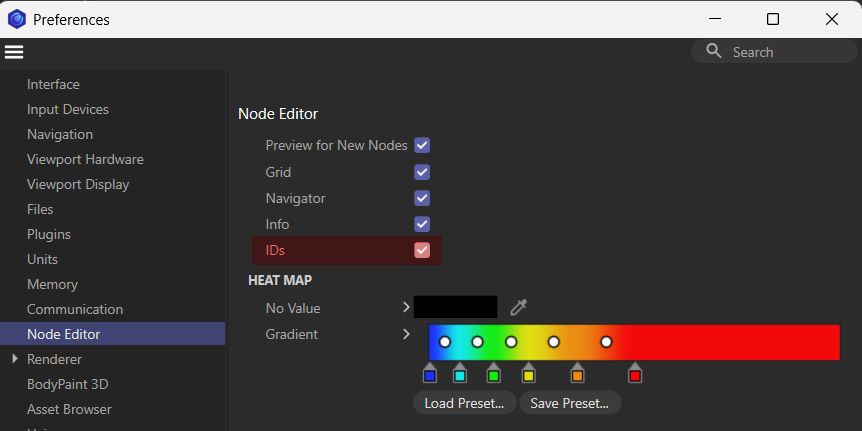
Open Cinema 4D Preferences (Ctrl+E or Cmd+E).
Go to Node Editor.
Check the box that says “Ids”.
Now, whenever you open the Node Editor, you will see the exact underlying string IDs for every node and port right in the UI overlay when you select them.